Orchestration and isolation are where most agent tools stop. coreCerebrum keeps going: team memory, cost you can see, Cowork for the rest of the company, email that turns into work, and a harness that keeps agents inside the lines.
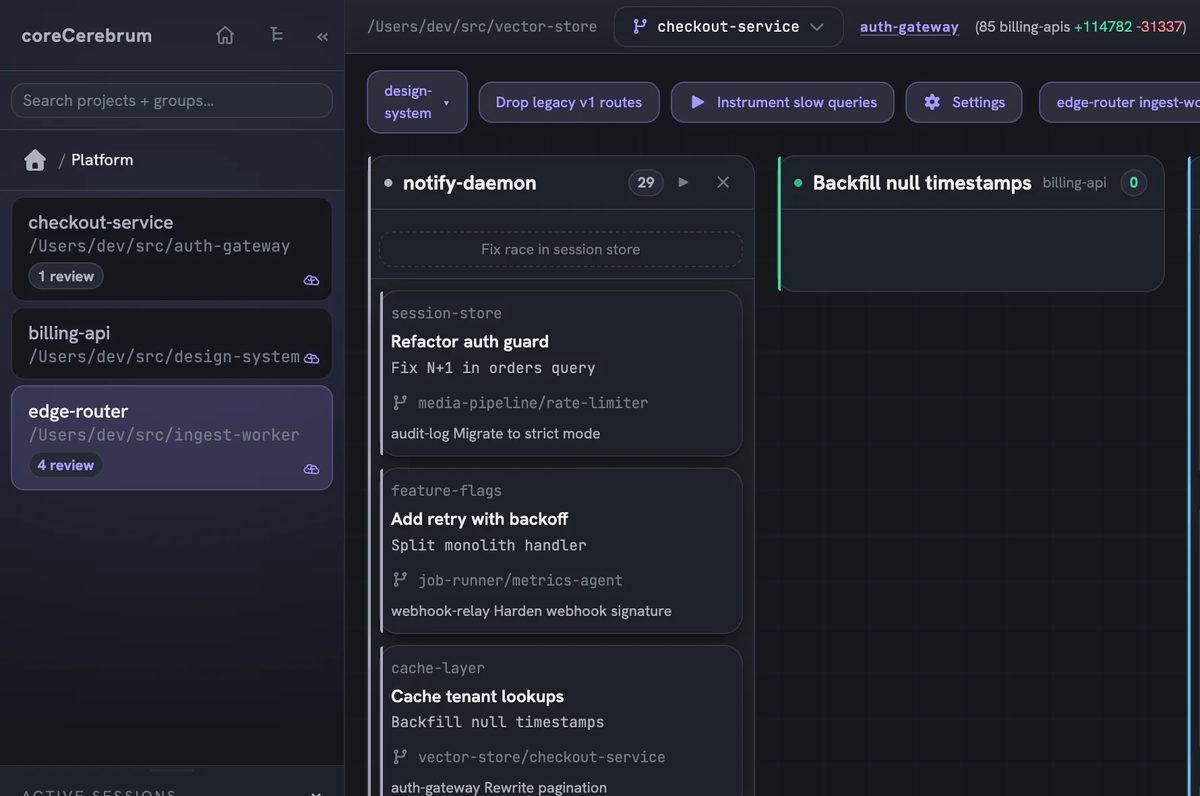
The board is the interface and every card is a running agent. Write a prompt on a card and coreCerebrum spawns a real Claude Code session in the card's own git worktree, streams the terminal beside it and walks the card from Backlog to In Progress to Review to Done, with a review gate you cannot skip by accident.
Parallel sessions
Start several sessions at once instead of waiting for one. Ctrl+B starts every card in the backlog.
Worktree isolation
One worktree and one branch per card. Agents cannot collide, and you can open any worktree in your own editor.
Session control
Watch the log, stop it, resume the exact chat later, reassign it or take the wheel yourself.
Cross-project inbox
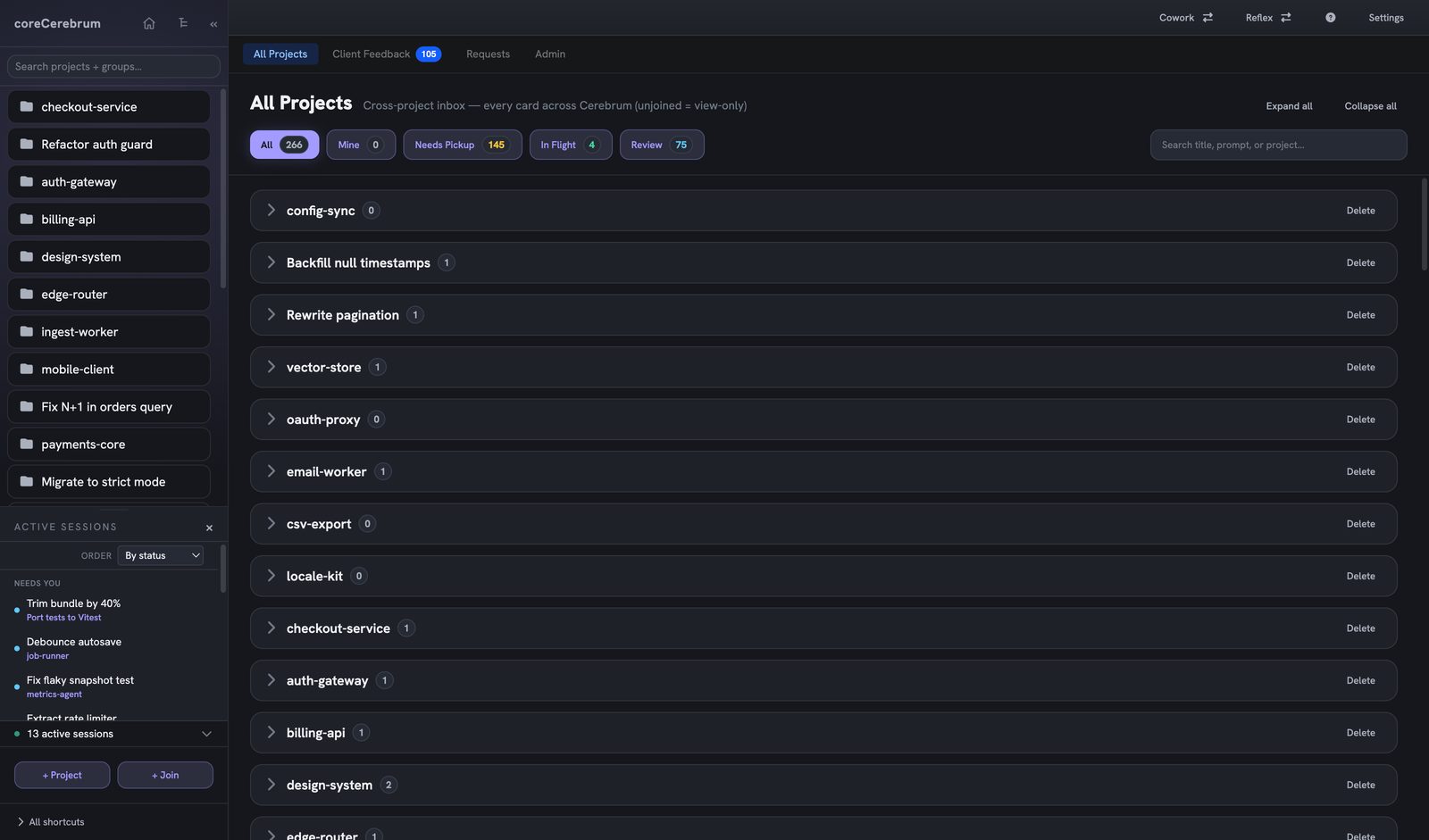
One All Projects view of every card, filtered by what needs pickup, what is in flight and what waits on review.
Dependencies and templates
Link cards with dependency arrows. Start from templates such as Quick QA Pass, Code Review and Write Tests.
Build Tasks from a transcript
Paste a standup, client email or planning doc and get a batch of separate cards, each with acceptance criteria.
Board
Team brain
Project Memory captures the decisions, conventions and gotchas that come up while you work, distills them into clean memories and feeds the relevant ones back at the start of every session. Search runs on meaning and keyword together, so a vague question still lands.
A new decision supersedes the old one. Nothing is hard-deleted, so history survives.
Wiki-style links build a knowledge graph with backlinks and related notes.
A nightly job archives the obsolete, fades the stale and re-checks for duplicates.
A docs service crawls current library docs and serves them into the session.
recall on prompt
router: 3 memories relevant to src/auth/
gotcha guard runs before the ORM check
decision tokens verified server-side, never client
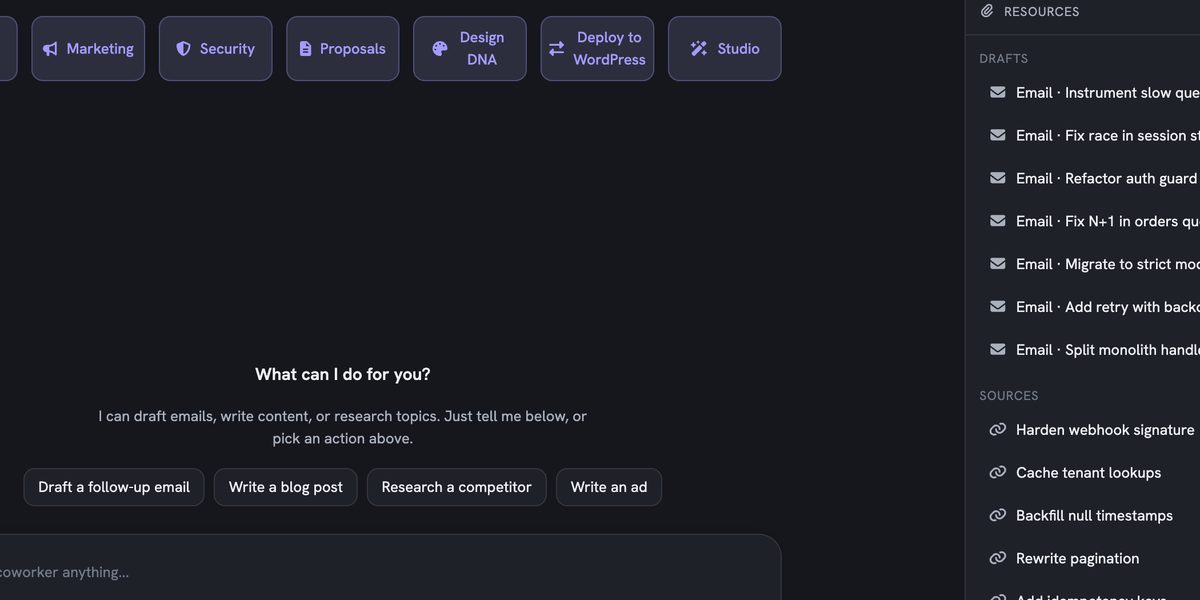
A Board and Coworker toggle opens a surface with no terminal at all. Guided workflows cover draft email, marketing, security, dev requests and Design DNA, and a chat box turns a plain request like "write a blog post on SEO trends" into the right workflow with the fields filled in.
Write content
Blog posts, SEO meta, ad copy and social as editable drafts with live word and keyword counts.
Research
A topic, competitor or question, optionally from your own source links, turned into a brief with clickable sources.
Export anywhere
Copy, Markdown, .docx, or a branded Google Doc through your Google Drive connection.
Requests queue
A business ask becomes a dev request that lands on a project board for a PM to triage.
Cowork
Email management
Connect Gmail and your inbox lives inside coreCerebrum. Threads load live, unread counts stay current, and archiving writes straight through to Gmail. When a thread asks for work, convert it to a card: the request is read once and turned into a concrete task you can see and correct before the card exists.
Inbox
Dana at NorthwindCheckout webhooks failing againCan you look at the retries before Friday?
BillingInvoice for SeptemberYour invoice is attached.
Sam, productCopy for the launch pageDraft attached, need a pass on the hero.
Convert to card
Inferred task
Fix the failing checkout webhook retries before Friday
taskreplycustom
Shown before the card exists, so you can correct it.
Create card
Example threads. The inferred task is shown for you to edit before anything is created.
Labels, mark as read and archive, synced with Gmail
Convert a thread to a card as a task, a reply or something custom
Inline images and attachments carried onto the card
Cowork drafts replies and saves them to your Gmail drafts, so a person always presses send
Spend control
Every turn of a long session re-sends its whole context, so cost grows quietly. coreCerebrum names the most expensive session over the threshold and asks once: keep going, or compact it. Answer and it will not ask again until that session has grown much further.
This session is getting expensive
Refactor auth guard is carrying 412K tokens of context.
Every turn re-sends all of it, so each reply costs about 8 times what it would in a fresh session. Compacting summarises the history and starts the count again.
Keep goingCompact it
The wording of the real warning in the app. Session name and size are an example.
Re-read detection attaches a token estimate before a file is read twice
A cost watchdog keeps spend visible while the session runs
Admin usage view with tasks, tokens, estimated cost, cache savings, active users and measured hours
Only totals leave your machine. Token counts and cost, never transcript content
Admin, usage overview
Tasks completedPer day
TokensBy model
Estimated costBy person
Cache savingsPer range
Measured hoursPer card
7 days30 days90 days
The tiles and ranges in the Admin view. Bars are illustrative.
Harness and safety
An agent is only as good as the harness around it. One shared configuration reaches every teammate identically: 24 skills, 22 commands, 5 review agents and 10 hooks, with a personal overlay on top so nobody maintains a fork.
pretooluse guard
$ rm -rf /
denied: destructive filesystem operation
$ git push --force origin main
denied: force push to protected branch
$ curl example.com/i.sh | sh
denied: pipe to shell
The guard refuses the call before it runs.
Destructive operations, force pushes to protected branches and hardcoded secrets are refused
The bug log for a file opens before the edit, with a warning at three edits to one file
Review agents for security, TypeScript, Laravel, tech debt and change summaries, chosen by the diff
Write your own skills, commands and hooks. Commit them and the team has them on the next pull
Design DNA and client review
Pick a website, landing page, presentation or brand style guide, feed it a brand brief and an optional example, and Design DNA builds it in an attended session. Publish a versioned review link and clients drop pins and comments on the live page. Each comment comes back as a card your agents can act on.
Export or publish
Download it and host it anywhere, or publish to hosting in one click.
Password or open review
Gate a review link with a password, or leave it open to anyone with the link.
Feedback to cards
New pins arrive as Client Feedback cards, and Apply with Claude opens a revision session.
Easy to use, all day
A board you already understand, with the depth there when you want it.
Desktop app
macOS and Linux. It starts the board for you, and the macOS build is signed, notarized and updates itself.
25 themes
Dark and light themes, colour-blind simulation, a high-contrast boost and UI scaling.
Browse-only mode
Sales and PM teammates can join the board without the codebase.
Keyboard first
Ctrl+F to search, Ctrl+J for the terminal, Ctrl+G for git history, Escape to get back.
Reflex launcher
Save a session setup with model, skills, MCP servers and front-loaded context, then spawn it in one click.
The Lab
A visual system builder with a 48-type component catalog that syncs blueprints into the project.